Why do traditional to-do lists fail by Wednesday?
Most productivity apps treat your task list like an infinite warehouse. You type in 45 items on Monday morning, miss 30 of them by Wednesday afternoon, and spend Thursday staring at a wall of overdue red badges.
The problem is not a lack of willpower. The problem is mixing two incompatible things in the same list: this week's real commitments and everything you might do someday.
WeekDone solves this by splitting work into two deliberate spaces:
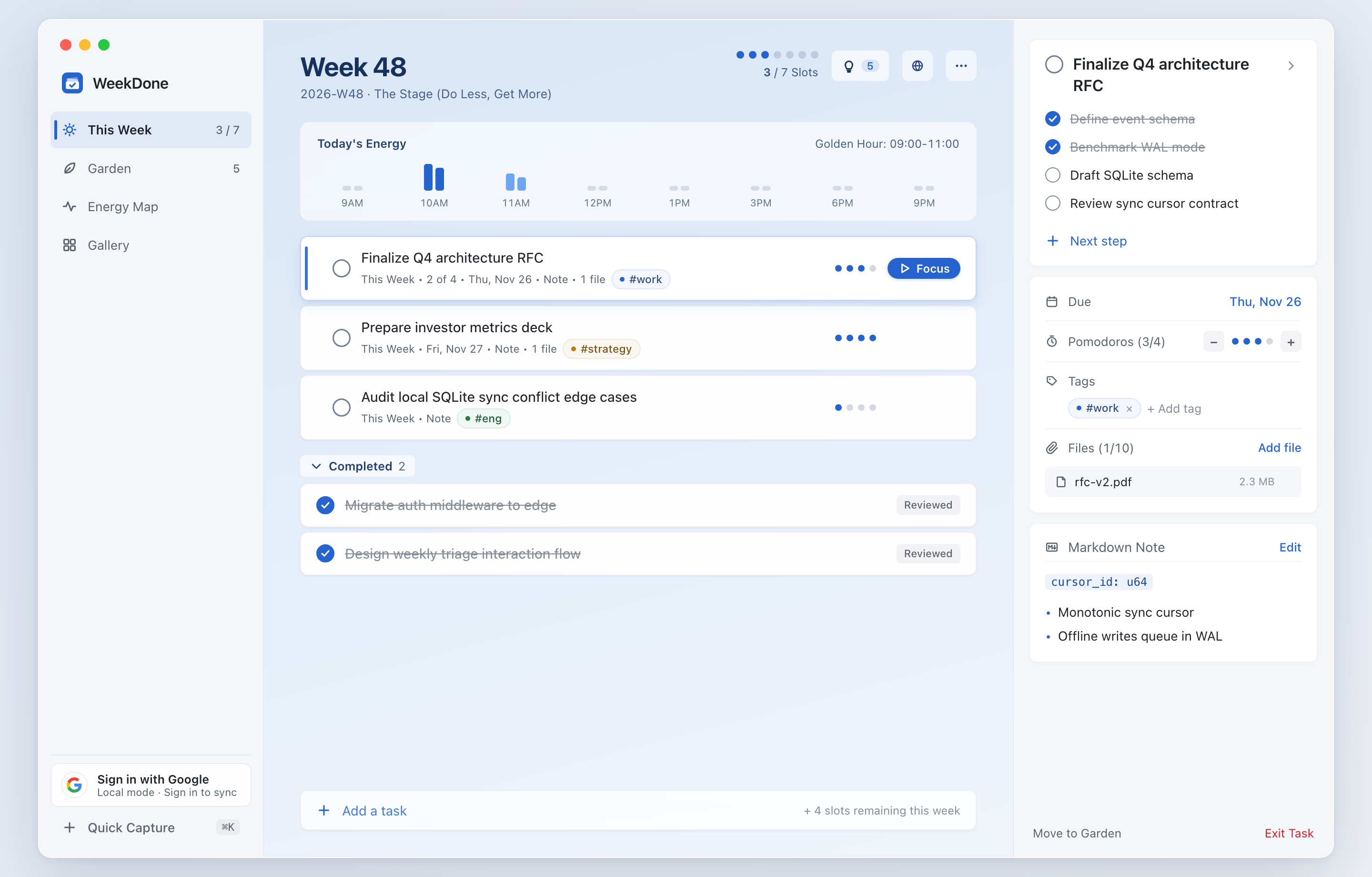
- The Stage (7-task weekly ceiling): Only the seven tasks that actually define a successful week.
- The Garden (up to 100 seeds): A calm holding area where
⌘Kquick captures land without crowding your week.
How does the 7+4 model change weekly execution?
In WeekDone, 7 is your weekly Stage capacity and 4 represents the four natural daily energy anchors tracked passively through 25-minute Pomodoro sessions in the Deep Focus Darkroom.
| Dimension | Infinite Backlog Apps | WeekDone (7+4 Weekly Focus) |
|---|---|---|
| Active weekly scope | Unlimited (often 30–100+ items) | Hard ceiling of 7 active Stage tasks |
| Quick capture destination | Drops directly into Today / Inbox | Lands quietly in The Garden (⌘K) |
| Overdue items | Bright red overdue counters | 30-day gentle Garden decay (water or archive) |
| Energy awareness | None (treats 9 AM and 4 PM equally) | Passive Energy Map from completed Pomodoros |
| Focus mode | Separate third-party timer | Built-in fullscreen Deep Focus Darkroom |
What happens to ideas that do not fit this week?
When an idea interrupts your flow, press Command+K (macOS) or Control+K (Windows/Web) to capture it in natural language—complete with #tags or due hints. Because captures enter The Garden by default, your current week stays protected.
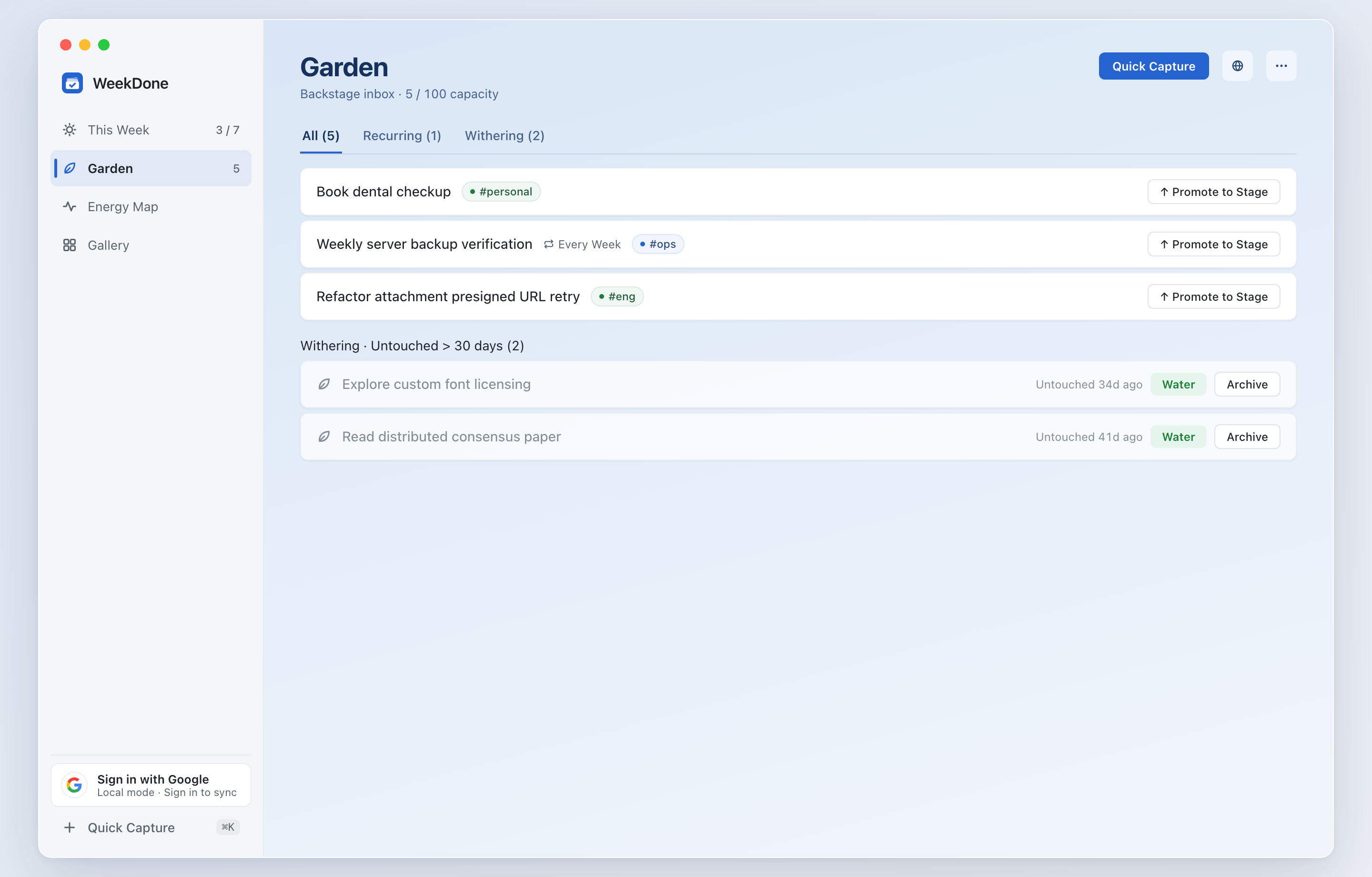
When you finish a task on The Stage, a slot opens up and you can promote a seed from The Garden in one click. If a seed sits untouched for 30 days, it gently withers—prompting a calm decision to Water (renew) or Archive it.
How should you plan Monday morning in 5 minutes?
- Review last week's Energy Map: Note which hours consistently produced 2+ Pomodoros.
- Pick at most 7 Stage outcomes: Move only the commitments you genuinely expect to finish before Sunday.
- Clear withered Garden seeds: Water what still matters, archive the rest, and enter Darkroom on your first priority.
Frequently Asked Questions
Why does WeekDone limit The Stage to 7 tasks per week?
Seven active tasks correspond to roughly one meaningful outcome per day with natural slack for meetings and unexpected interrupts, eliminating the illusion that 40 items can all happen this week.
What happens if I need to add an 8th task?
Every new capture goes safely to The Garden (up to 100 seeds) via Command+K, or unlocks on The Stage as soon as you check off one of your 7 active tasks.
Why do untouched ideas in The Garden wither after 30 days?
Tasks that remain untouched for 30 days visually fade instead of turning angry red, inviting you to either water them back to life or archive them guilt-free.
Try focusing on just 7 tasks this week.
Offline-first across Web, macOS, Windows, and Mobile. Zero ads, zero tracking.