Why manage energy instead of just scheduling hours?
Everyone has 24 hours in a day, but energy is uneven and finite. Writing an architecture RFC during your peak morning window takes 50 minutes; trying to force the same work during an afternoon slump can drag on for three frustrating hours.
Manual energy-tracking apps fail for one obvious reason: when you are exhausted, the last thing you want to do is fill out a survey rating your fatigue from 1 to 10.
WeekDone solves this with passive capture: simply focus inside Deep Focus Darkroom, and let completed Pomodoros paint the truth.
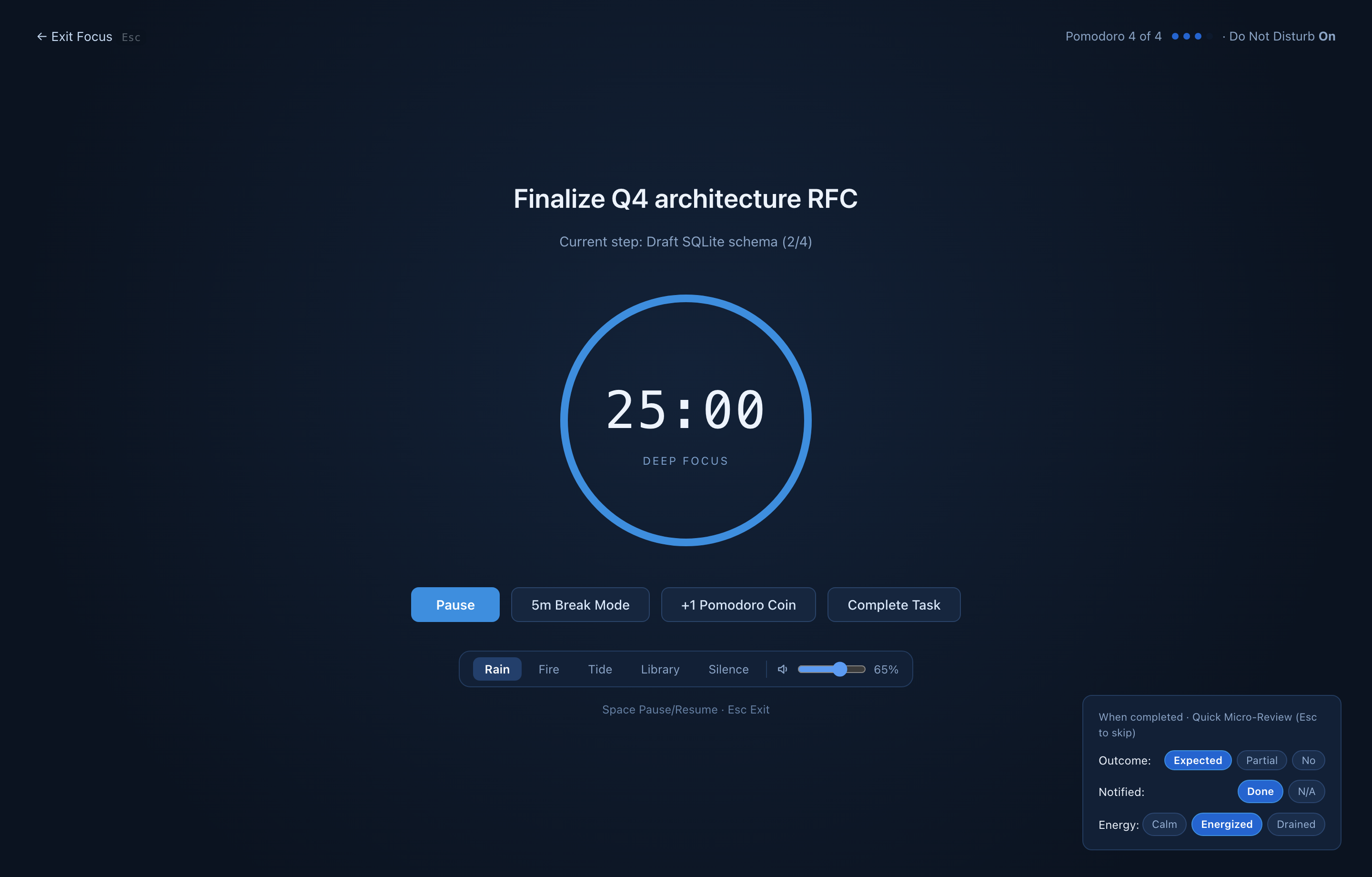
Inside Deep Focus Darkroom: Zero UI noise
Click focus on any Stage task—or press Command+Shift+F on macOS—and the workspace shifts into Darkroom Mode:
- 25:00 breathing ring: Only the current task title, active sub-step, and countdown ring stay visible.
- 5 remembered soundscapes: Choose between
Rain,Cafe,Library,Forest, andWhite Noisewith smooth volume control—WeekDone remembers which soundscape you paired with each task. - Built-in 5-minute break: When a focus cycle finishes, toggle smoothly into a 5-minute recovery timer before starting the next block.
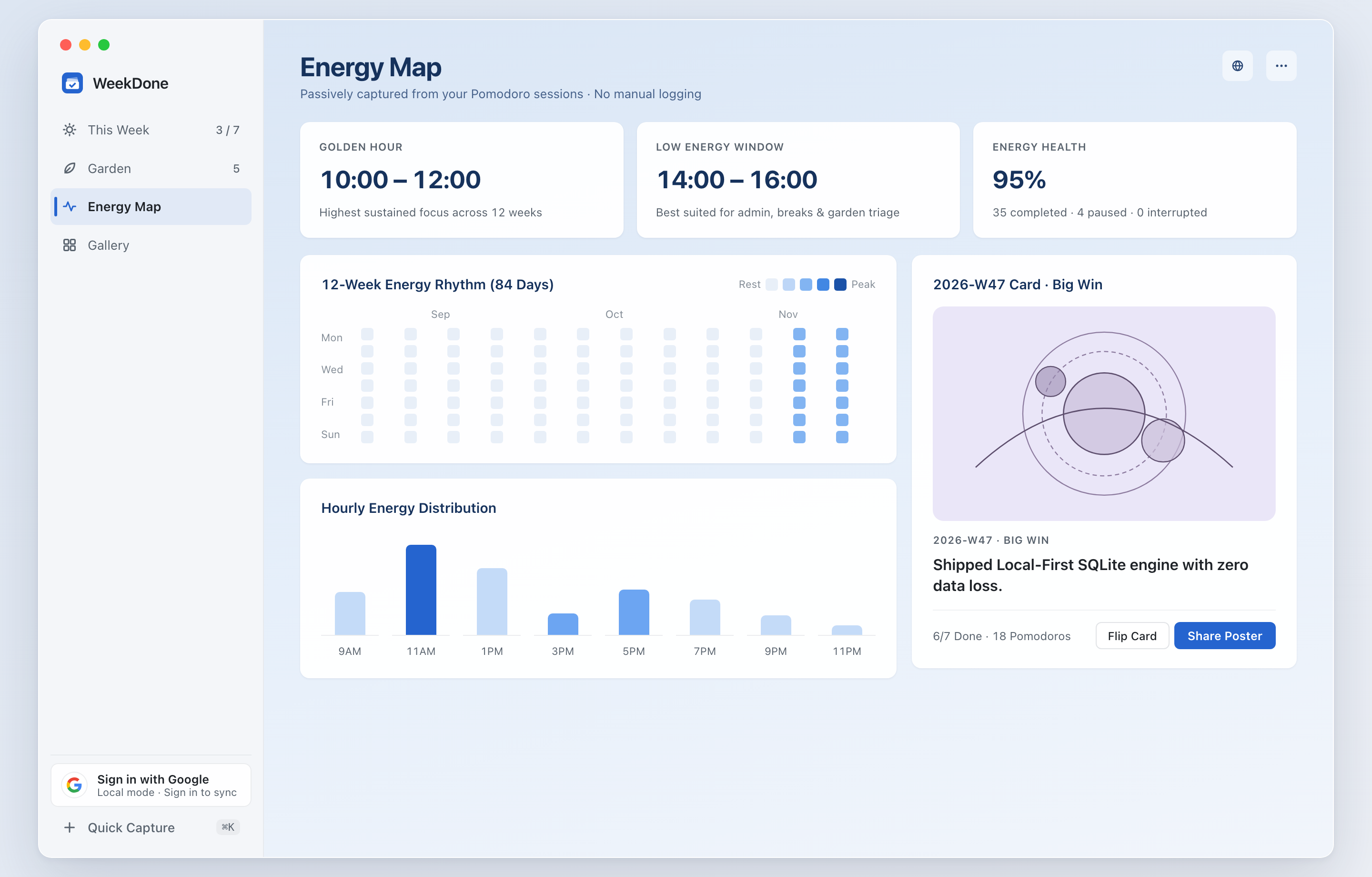
How the Energy Map reveals your Golden Hour
Every completed Pomodoro counts as 1 Energy Coin and feeds two passive views:
- Today's 8-Slot Energy Card (
9 AM–11 PM, 2-hour buckets): Highlights moderate focus (1 Pomodoro) vs. deep peak blocks (2+ Pomodoros) throughout your day. - 12-Week Energy Map (
7 days × 12 weeks = 84 days): A GitHub-style contribution heatmap paired with three automatic insights:
- Golden Hour: Your highest-output time window.
- Low-Energy Window: When shallow admin or rest fits better than deep coding.
- Completion Rate: Overall focus quality across completed vs. interrupted sessions.
Frequently Asked Questions
Do I have to log my energy levels manually in WeekDone?
Never. Every completed 25-minute Pomodoro in Deep Focus Darkroom automatically earns one Energy Coin and updates your Energy Map passively.
What ambient soundscapes are built into Deep Focus Darkroom?
WeekDone includes five built-in soundscapes—Rain, Cafe, Library, Forest, and White Noise—and remembers your preferred soundscape per task.
What is the Golden Hour shown on the Energy Map?
Your Golden Hour is the time window where you consistently complete the highest concentration of focused Pomodoros, helping you schedule demanding Stage tasks during peak energy.
Try focusing on just 7 tasks this week.
Offline-first across Web, macOS, Windows, and Mobile. Zero ads, zero tracking.